

Issues and reports
Read severity, confidence, evidence, report gates, public reports and print/PDF output.
Business owners, developers and reviewers
Feature availability
Product, package, provider and deployment boundaries for this page.
- Available from
- Current documentation
- Deployment modes
- cloud
Product screenshots
Current customer-safe screenshots are generated from the application so examples do not drift from the product.
Report reading path
Use this section when a customer has a completed report and needs to understand findings, evidence, confidence, fingerprints, publication gates or export choices. 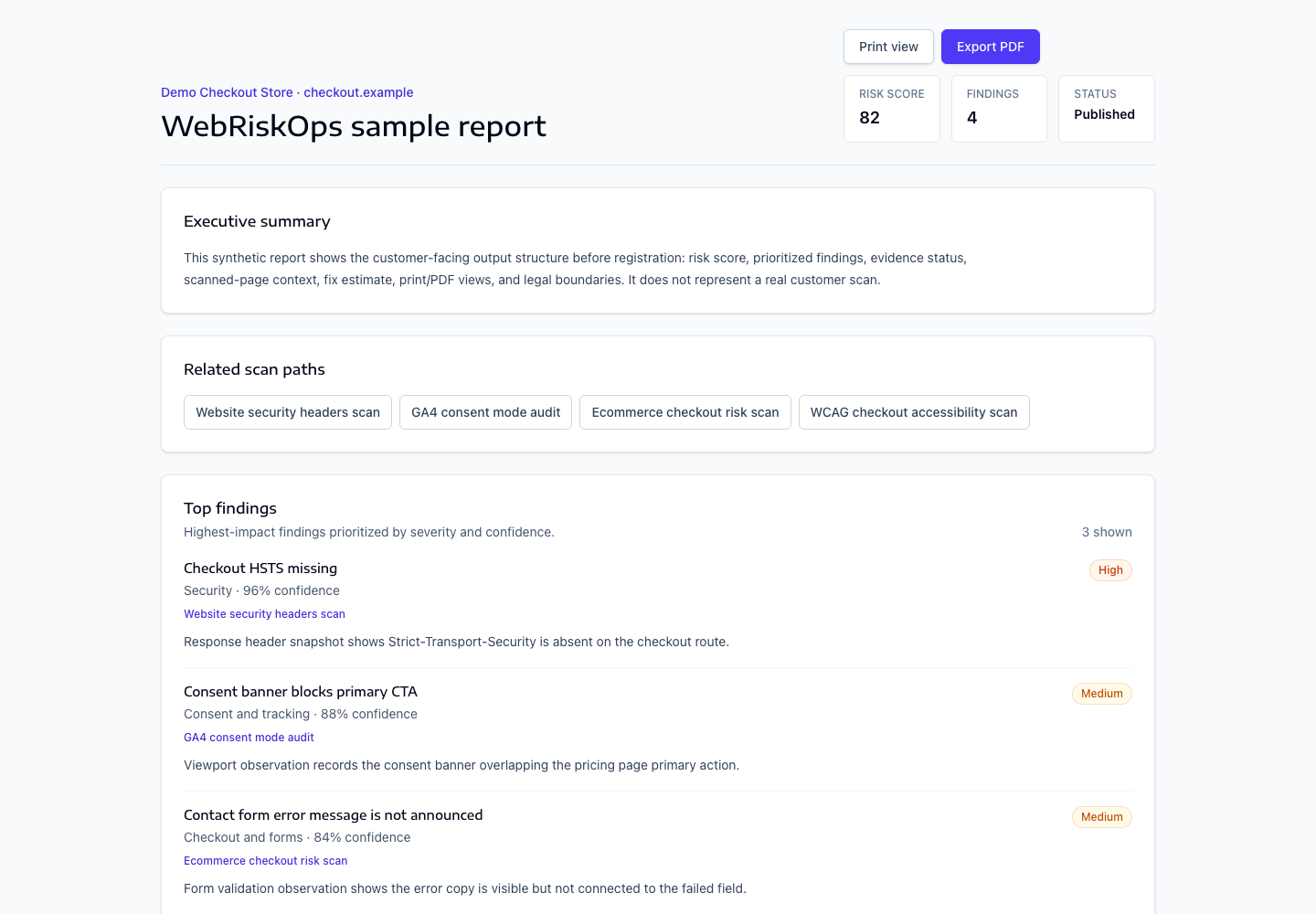
- Understand report evidence
- Severity, categories and confidence
- Evidence, screenshots and artifacts
- Issue fingerprints
- False-positive review
- Publication gates
- Public reports
- PDF and print export
- Legal boundary wording
Evidence and sharing path
Open [Reports](/reports), choose `/reports/{report}`, review the issue list, then open an issue before starting remediation, ticket export, retest or monitoring.
- Use screenshots, HTML snapshots, console evidence and network evidence together.
- Use confidence and severity as triage inputs, not certification claims.
- Publish or export only after publication gates are clear.
What to open next
- Use [Understand report evidence](/docs/reports/report-evidence) before acting on a finding.
- Use [Evidence, screenshots and artifacts](/docs/reports/evidence-screenshots-and-artifacts) when an artifact is missing or unclear.
- Use [Publication gates](/docs/reports/publication-gates) before public sharing.
Was this page helpful?
Feedback goes into the product documentation review queue.