

Monitoring and retests
Understand scheduled monitoring scans, fingerprint comparison, issue change states, retest outcomes, inconclusive evidence and monthly summaries.
Customers, agencies, developers and security reviewers
Feature availability
Product, package, provider and deployment boundaries for this page.
- Available from
- Current documentation
- Deployment modes
- cloudself-hosted
Product screenshots
Current customer-safe screenshots are generated from the application so examples do not drift from the product.
Monitoring and retest path
Use this section after a baseline report exists and the customer needs recurring scans, issue comparison, retest outcomes or monthly summaries. 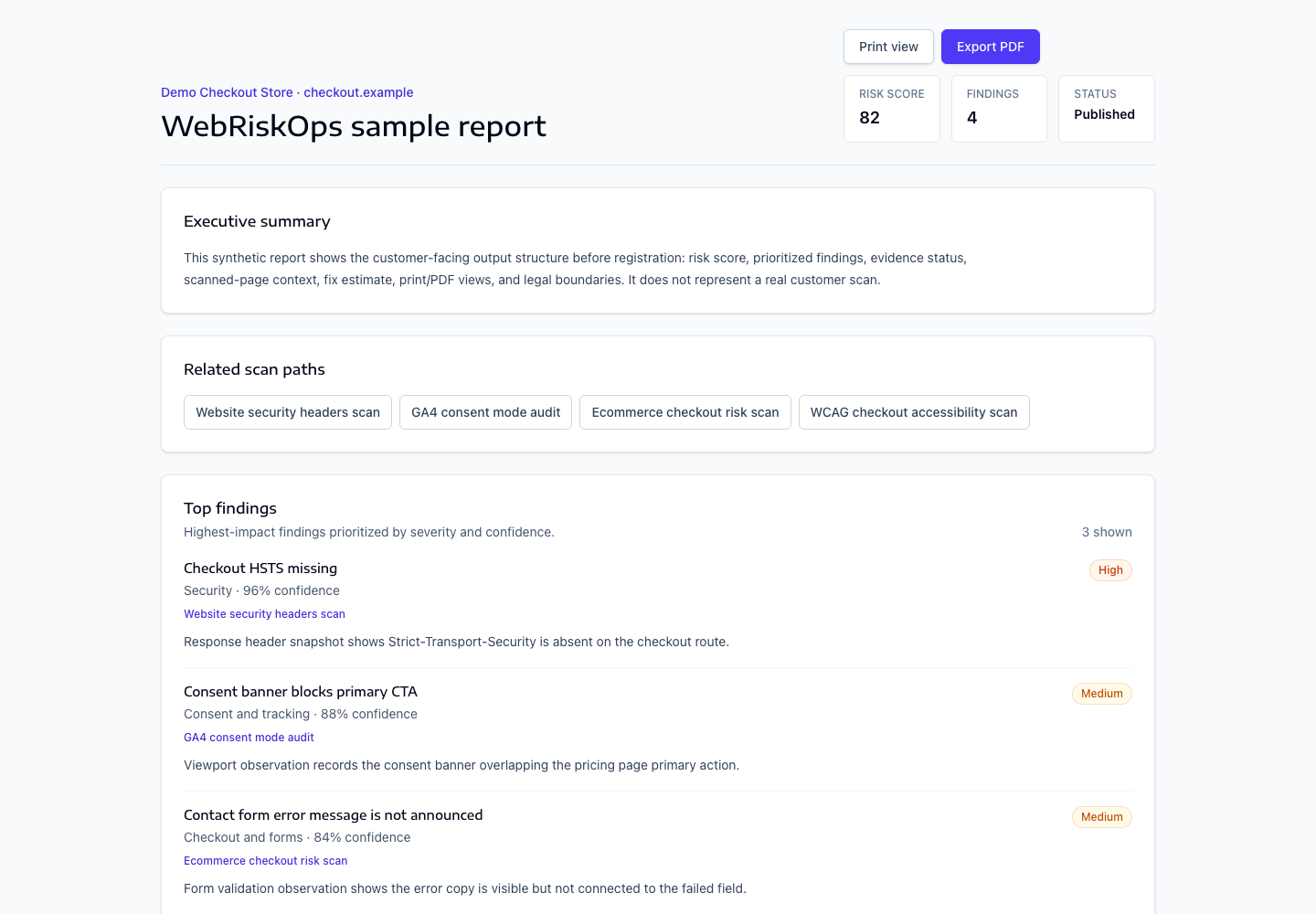
- Scheduled scans
- Fingerprint comparison
- Issue change states
- Retest outcomes
- Inconclusive evidence
- Monthly summaries
Outcome review path
Open [Billing](/billing) for monitoring plan state, then open `/projects/{project}/monitoring` to review scheduled runs and issue changes. Retests start from fix tasks and must record an outcome before an issue is treated as fixed.
- New issues need review.
- Recurring issues need continued remediation.
- Resolved issues need evidence-backed comparison.
What to open next
- Use [Scheduled scans](/docs/monitoring-retests/scheduled-scans) for recurring run status.
- Use [Retest outcomes](/docs/monitoring-retests/retest-outcomes) after a fix task is retested.
- Use [Monthly monitoring summaries](/docs/monitoring-retests/monthly-summaries) for customer-facing summary review.
Was this page helpful?
Feedback goes into the product documentation review queue.